Pricing
How Do I Switch Salon Software Without Losing My Clients & History?

Switching without losing a client comes down to a short, boring process: export a full backup first, confirm exactly what the new tool imports, run both systems in parallel briefly, then move your clients, appointment history, notes, catalogs, and staff. Keep your booking page live the whole time so nothing slips.

Key takeaways
- 01Back up before you touch anything: export your full client list and visit history from the old tool so you have a copy that is yours no matter what.
- 02Confirm the import in writing before you commit. The question is not 'can it import,' it is 'does it bring over notes, formulas, and history, or just names and emails.'
- 03Run old and new in parallel for a week or two. Take real bookings in the new one while the old one stays open as your safety net.
- 04Move five things: clients, appointment history, notes, your service and product catalogs, and staff with their schedules.
- 05Your clients should not feel the switch. Keep your booking link working and tell them nothing changes for them.
Can I really switch salon software without losing my clients or history?
Yes, and the people who lose data are almost always the ones who skipped the boring part. Switching tools feels risky because your client list and visit history are the business, not just records in an app. But none of it is trapped. Every reputable platform lets you get your data out, and the loss happens at the seams: data that never got exported, or history that didn't survive the import. Migrations are where it goes wrong: across industries, most data-migration projects run over budget or time (Bloor Research), and while those studies cover enterprise IT rather than a salon swapping booking apps, the lesson holds: the risk lives in the move, not the destination. The law is on your side, too. Data-portability rules like GDPR Article 20 and California's CCPA exist so you can take your records in a clean, machine-readable format, and the FTC frames portability as a way to lower switching costs.
So the goal isn't a heroic one-click migration. It's a short, deliberate process where you control a copy of everything before you move a single thing. Do that, and the worst case is a wasted afternoon, not a lost client list.
What's the first thing I should do before switching?
Export a full backup of your client list and history, and do it before you sign up for anything new. This is the one step that makes everything after it low-stakes. Once you hold a copy of your data outside the old software, you can take your time, test the new tool, and walk away from a bad move with nothing lost.
Open your current platform's settings and find the export, download, or data-request option. Pull your clients, their contact details, visit history, and notes. Open the file and read it. If the export is only names and emails with no history behind them, you've learned something important about that tool, and you know to lean on the new platform's import or migration help to fill the gap. Save the file somewhere outside the software too, like your own drive.
How do I know what the new tool can actually import?
Ask before you commit, and make the question specific. "Can you import my clients?" gets a yes from almost everyone, because importing names is easy. The real question is whether it brings over appointment history, notes, color formulas, intake records, and your service and product catalogs, or just the contact card.
Hand the vendor your export file and ask them to confirm, in writing, exactly which fields land and which don't. A platform that offers real migration help will tell you plainly and often do the heavy lifting for you. One that gets vague is telling you something. Knowing the gaps in advance lets you decide what to re-enter by hand versus what comes across clean.
Should I run my old and new software at the same time?
Run them in parallel for a week or two. This is the difference between a switch that's stressful and one that's boring, and boring is what you want. Set up the new tool, import your data, and start taking fresh bookings there while the old system stays open for appointments already on the books.
The old account is your safety net. If something didn't import right, you still have the source of truth sitting right there to check against. Pick a quieter stretch of the calendar if you can, let the existing appointments play out, and only fully cut over once you trust the new system with a live Saturday. There's no prize for cancelling the old account fast.
What exactly needs to move over?
Five things, and it helps to check them off one at a time:
- Clients with their contact details and any tags or segments you use.
- Appointment history, past and upcoming, so you keep the record of who books what and when they're due back.
- Notes, including formulas, preferences, allergy or sensitivity flags, and intake or consent records.
- Service and product catalogs, so your pricing, durations, and inventory don't need rebuilding from memory.
- Staff, with their profiles and schedules, so the team and the calendar are ready on day one.
Move them in that order and verify each one landed before you trust it. The history and notes are the ones tools most often drop, so give them the hardest look.
How do I keep taking bookings during the move?
Keep your booking page live the entire time, full stop. The one outcome a switch should never produce is a client tapping your link and hitting a dead page or, worse, an empty calendar. Decide where new bookings flow, point your public link there once it's ready, and let the old appointments finish where they live.
If your booking URL or phone number changes as part of the switch, that's the only thing worth telling clients, and it's one short message. Everything else stays invisible to them. A client who booked last month should be able to book next month without noticing anything happened in between.
What should I tell my clients about the switch?
In most cases, nothing. Your clients don't care which software runs behind your booking link; they care that they can reach you, book, and get their reminders. A clean migration is one they never feel. They don't re-register, don't re-enter a card, and don't download anything new unless the tool you picked forces it, which is a good reason to ask before choosing one.
If anything client-facing actually changes, send one plain note with the new way to book and leave it there. This is also where the right software earns its keep: if you're going independent and weighing your options, we walk through the trade-offs in the best software for booth renters.
How does Lilo handle switching?
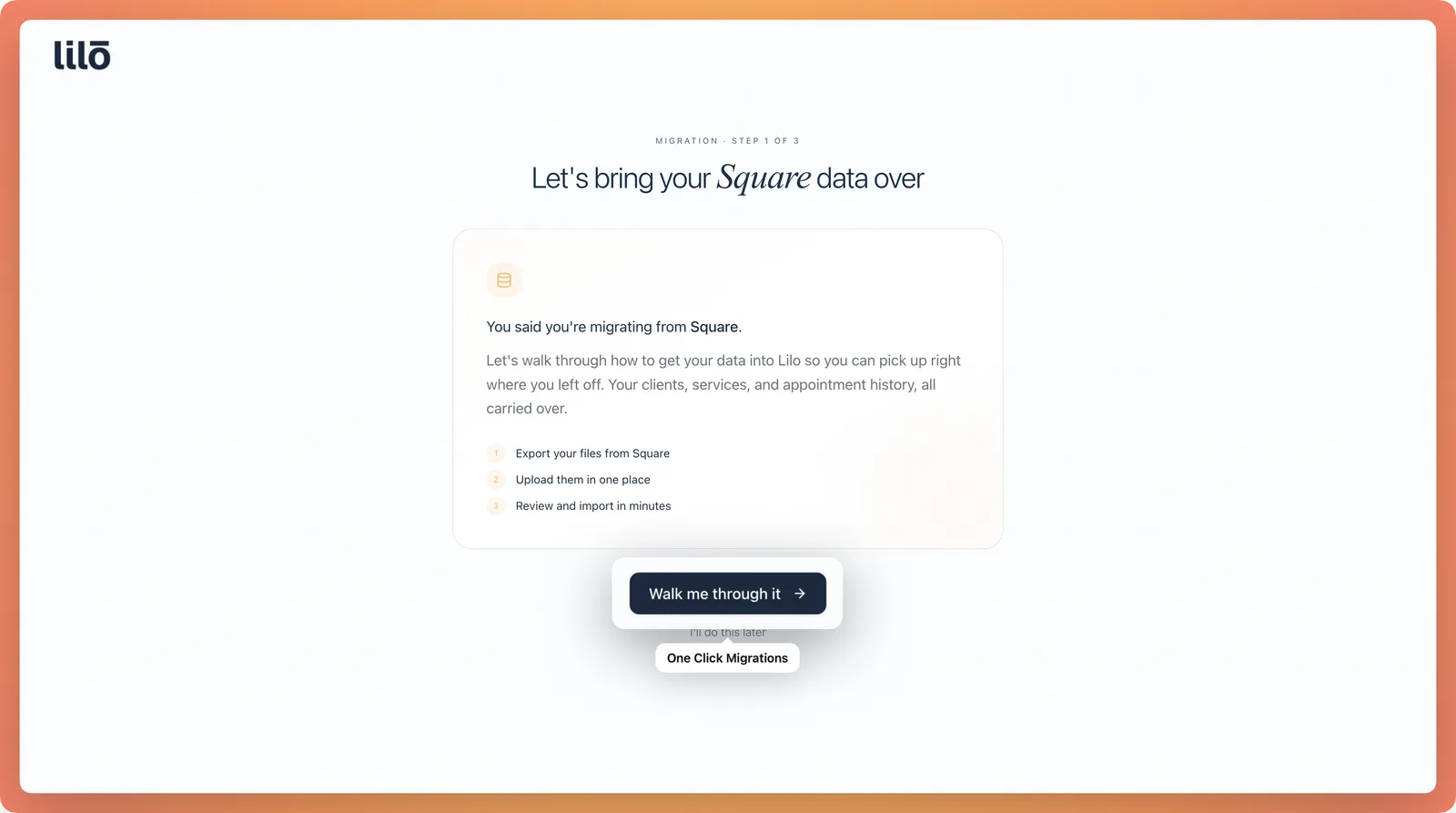
Lilo offers free migration from Square, Vagaro, Boulevard, Mindbody, Mangomint, and most other salon software, and it transfers the things that matter: clients, appointment history and notes, your service and product catalogs, and staff. The point is that you don't start from scratch and you don't lose the record of who's been in your chair.
The other half is the exit. There are no exit fees, ever, and you can leave anytime with your data, because your client list is yours, not ours to hold. You can see what that costs on the pricing page. This isn't legal or contractual advice; read your current provider's terms for any cancellation clause before you move.
Lilo publishes this guide and offers the migration it describes, so treat us as an interested party. Features and plans are current as of June 2026; confirm any competitor's export and import details on their own site before you move.
Frequently asked questions
Not if you handle it deliberately. The risk is real because some tools import only basic contact fields and drop the history behind them, so you land with a list of names and no record of who books what. The fix is to confirm before you move: ask the new platform exactly which fields it brings over, and ask the old one for a full export including past and future appointments. Many switchers also keep their old account open, read-only, for a billing cycle or two as insurance. If the new tool offers migration help, hand them your export and have them confirm the history landed before you cancel anything. Treat the export as yours, because it is.
Look for an export, download, or data request option in settings, usually under a clients, reports, or privacy section. Most platforms let you export clients to a CSV or spreadsheet; the better ones export appointment history and notes too. If you cannot find it, contact support and ask for a full data export in writing. A few tools make this deliberately hard, which is worth remembering for next time. Either way, get the file and open it to check it actually contains contact details, visit history, and notes before you rely on it. That spreadsheet is your safety net for the whole move, so save a copy somewhere outside the software entirely.
Yes, and you should plan for it rather than hope for it. The cleanest approach is to run both systems in parallel for a short window: set up the new tool, import your data, and start taking new bookings there while the old system stays open for anything already on the books. Keep your public booking link working the entire time so a client never hits a dead page. Pick a quiet stretch if you can, point your link at the new system once you trust it, and let the old appointments play out where they live. Nothing has to go dark, and no client should ever know a migration happened.
No, and that is the message to send them. Your clients do not care which software runs behind your booking page; they care that they can book, get reminders, and see you. A clean switch is invisible to them. You do not need them to re-register, re-enter cards, or download a new app unless you choose a tool that requires it, which is a reason to ask before you pick one. If your booking link or phone number changes, send one short note with the new way to reach you. Otherwise, keep quiet and keep working. The whole point of doing the migration carefully is that the people in your chair never feel it.
It depends on the tool, so check before you sign anything new. Some platforms charge exit or cancellation fees, lock you into annual contracts, or even charge to export your own data, so read your current terms for an early-termination or data-export clause before you assume your records are free to take. But here's the part people miss: a fee is not a reason to stay. Do the math. If a platform charges around $800 to export and roughly $400/month for service (Boulevard sits in that premium range), the ~$340/month you'd save on Lilo at $59/month covers that export fee in about three months, then saves you money every month after. A one-time cost to escape an expensive contract is often the cheapest decision you'll make. With Lilo there are no exit fees, ever, and you leave anytime with your data.
Sources
- Data To Go: An FTC Workshop on Data Portability — U.S. Federal Trade Commission
- Art. 20 GDPR — Right to data portability — EU General Data Protection Regulation
- California Consumer Privacy Act (CCPA) — California Office of the Attorney General
- Too many migration projects fail (citing Bloor Research) — Curiosity Software / Bloor Research