Team
Your team, set up the way you run it
Roles that fit, permissions you can change, and requests that reach the right manager. Whether they are on payroll, contracting, or renting a chair.
- Five roles, adjustable per person
- Employees, contractors and booth renters
- Time off requests routed to the right manager
- An app for their own schedule

Sarah K.
Working 9 to 5 today

Booth renter
Runs his own book

Location manager
Uptown
Your team
Everyone, and what they do
Your whole team on one screen. How to reach them, what role they hold, which services they do, and whether they are taking bookings.
Permissions
Who sees what
Five roles come ready: front desk, provider, location manager, admin and owner. Update the permissions for an entire role, or for one person.
- Change permissions for a role or a person
- Their own clients and calendar, or everyone's
- Every change kept on record
Time off
Time off, requested and approved
Your team requests directly through the app or the dashboard. It lands with their manager, who approves or denies it with a note. Approved hours close on the calendar and the booking page at once, so nobody gets booked into time off.
- Vacation, personal time or sick days, a full day or part of one
- Schedule changes and join requests land in the same place
- A sick call closes the day and tells the manager at once
Types of members
Employees, contractors and booth renters
Say which one someone is and Lilo behaves accordingly. You set an employee's hours. A contractor sets their own and you are told. A booth renter runs their own book, adds their own services, and keeps their revenue.
- Booth renters add and price their own services
- Contractors set their own hours, no approval needed
- Pay on file: hourly, salary, commission, a split, or rent
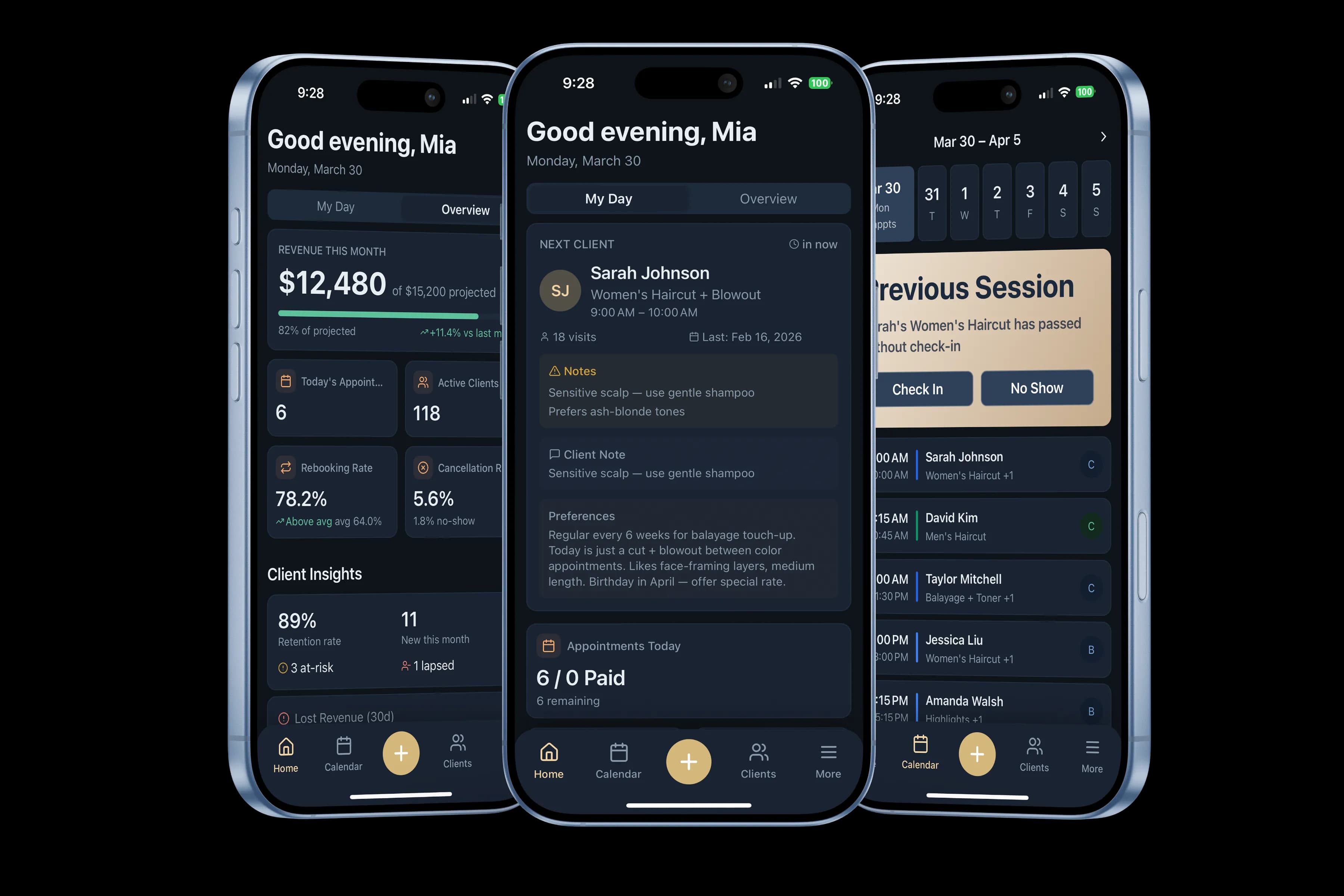
The app
Their day, in their pocket
Team members open the app to their next client, the notes on file, and the rest of the day. They set their hours and ask for time off from the same place.
Close by
The rest of what your team touches lives on these pages.