One visit
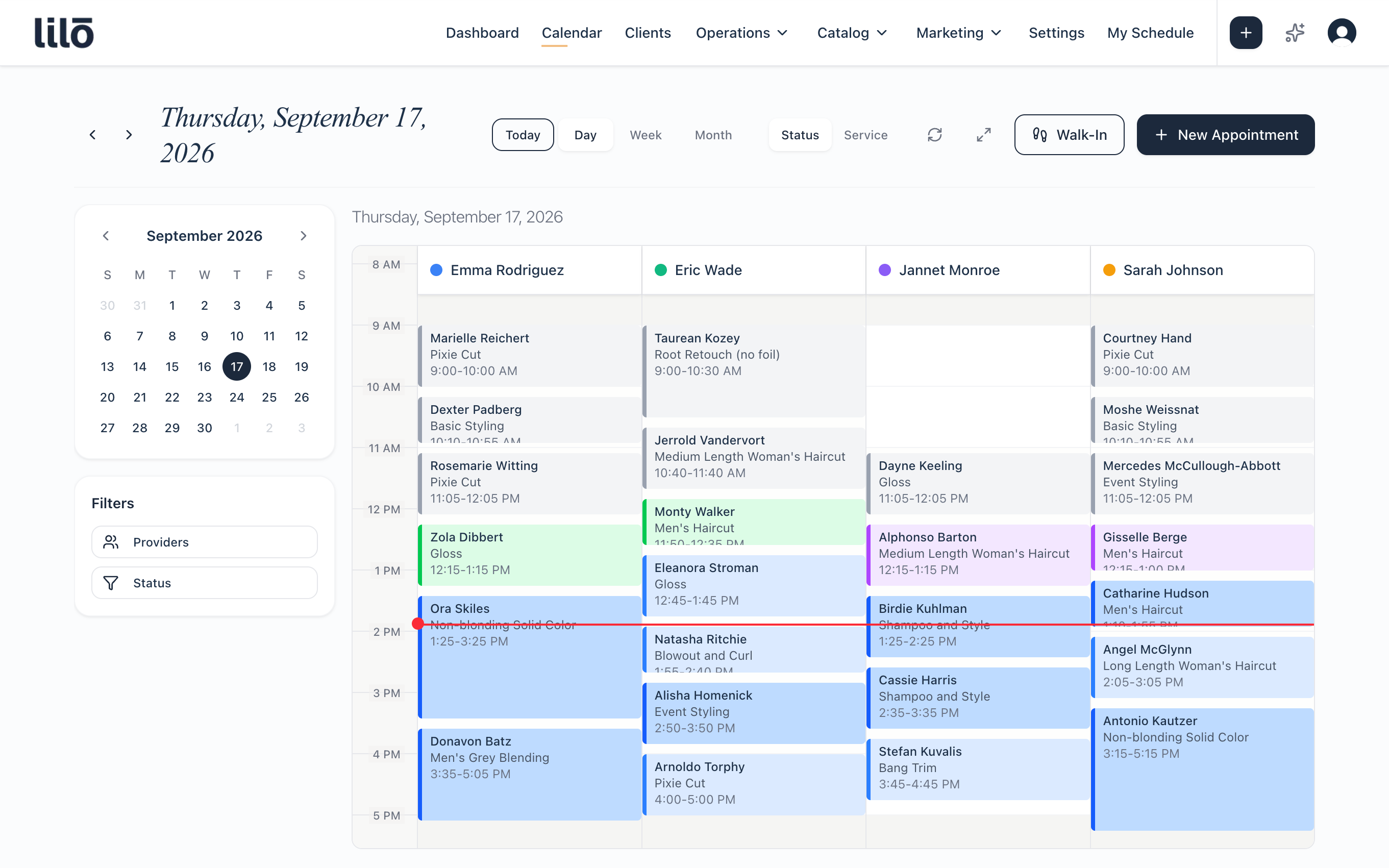
Multi-service, multi-provider bookings
A facial with Maria, a massage with whoever's free, a manicure after. Lilo runs them back to back, only offers start times where the whole visit fits, and never splits a client across two people when one of them could do it all.
Conflicts
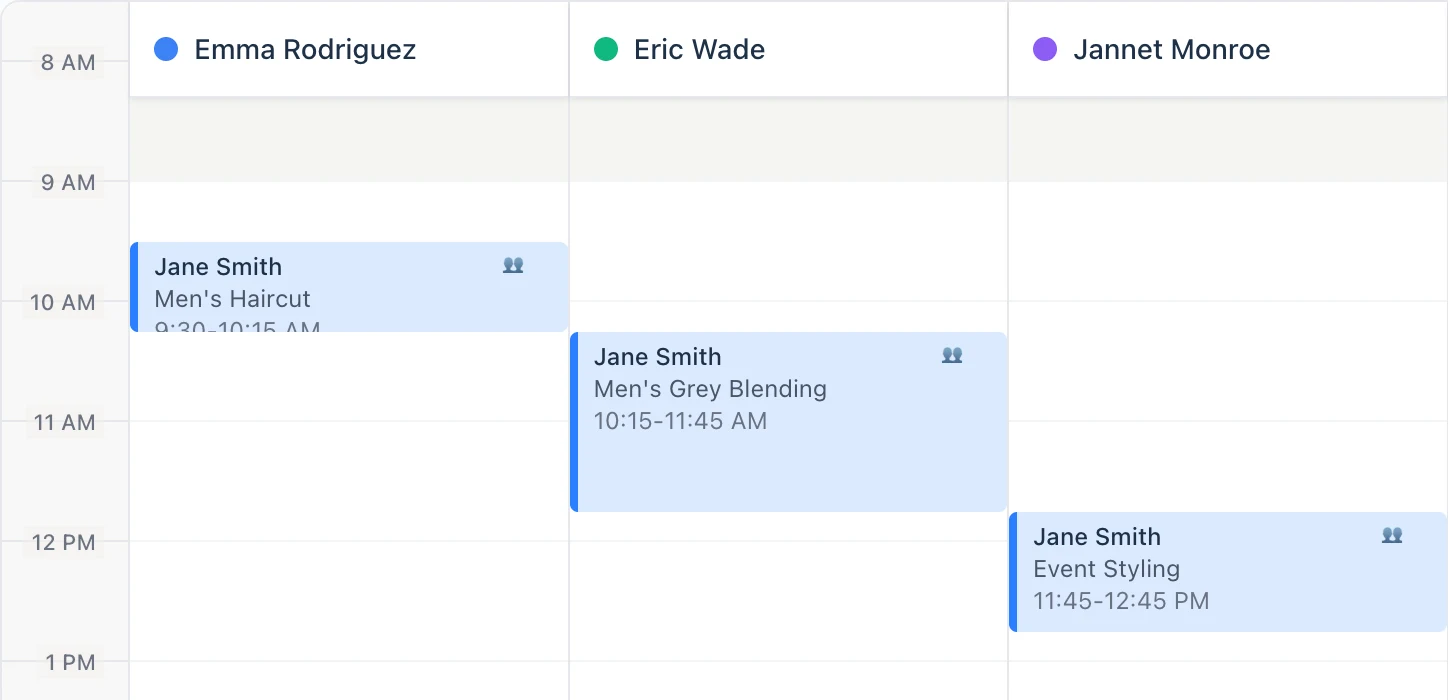
No double-bookings, unless you override it
Clients never see a time that clashes with a shift, a lunch, a day off or another appointment, and they can't force one. Staff can. When you need to fit someone in, Lilo names what you'd be breaking and lets you do it anyway.
- Clients only ever see times that work
- Staff get a warning and a Double Book button instead of a dead end
- The warning says which rule: their shift, a time block, a closure, the booking window
- Someone booked at one location can't be booked at another at the same time
Calendar
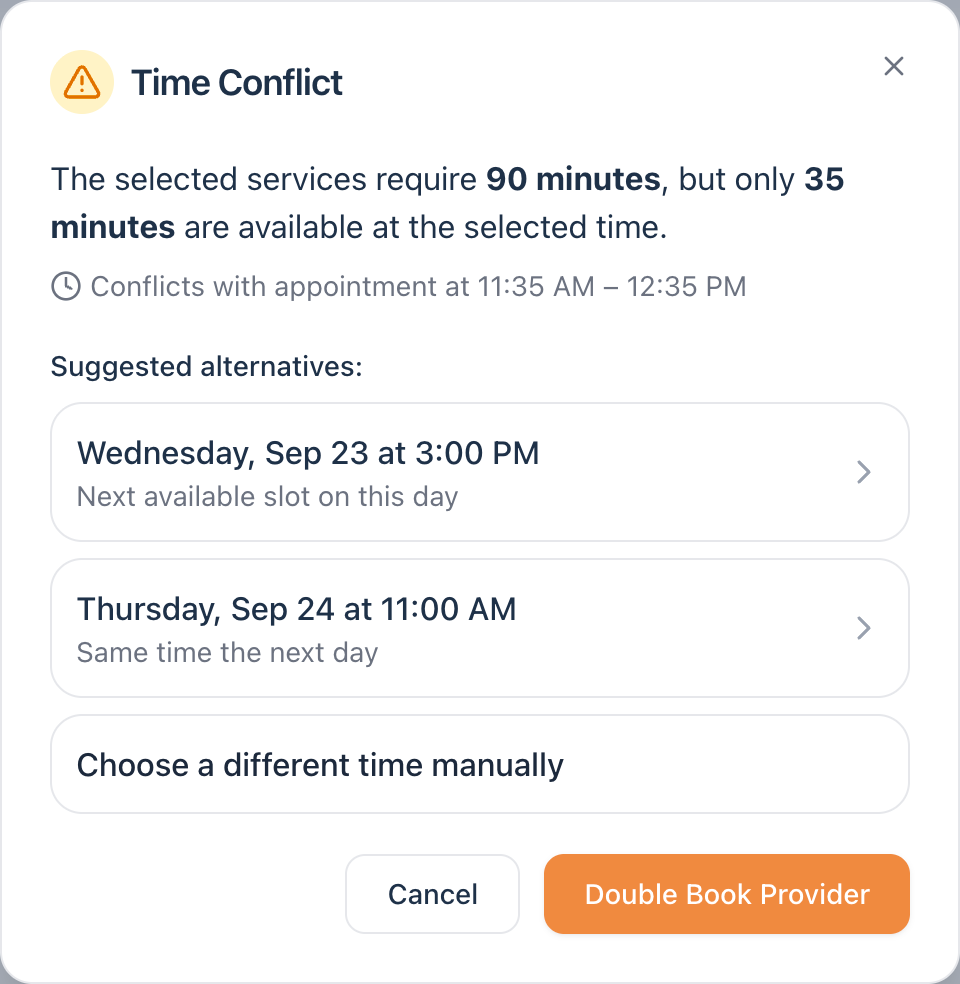
One calendar for your whole team
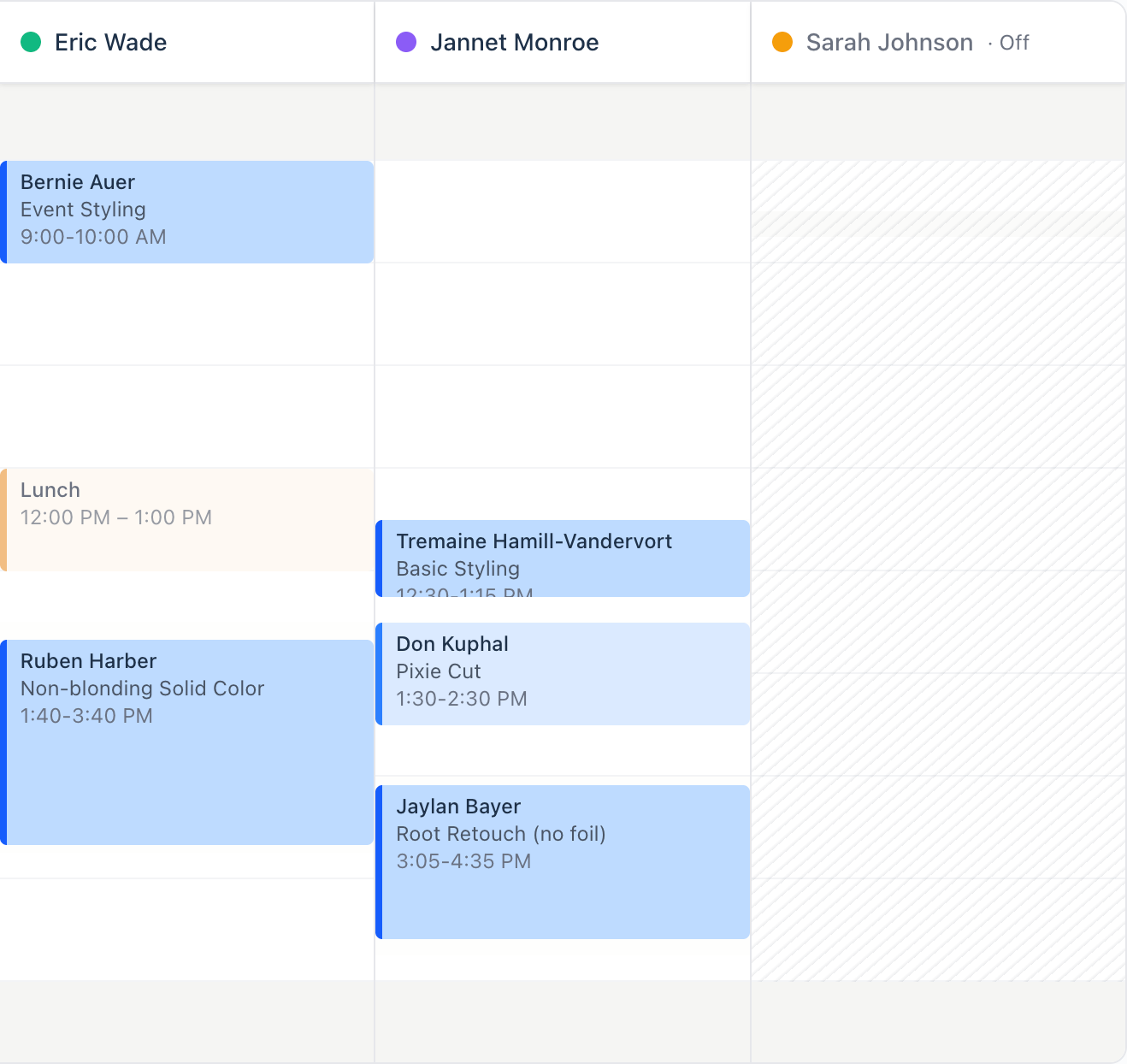
Day, week or month. Everyone in their own column. Color the day by service or by status, and switch to all locations to see where your team is without changing pages.
- Drag an appointment to move it, and Lilo checks the new time while you're still holding it
- Color the day by service or by status. Each person picks their own
- Service colors are the ones you set on your own services
- Filter by person and by status
- The walk-in button finds the next opening without leaving the front desk
- Check in, mark a no-show, reschedule or edit without leaving the calendar
Blocked time
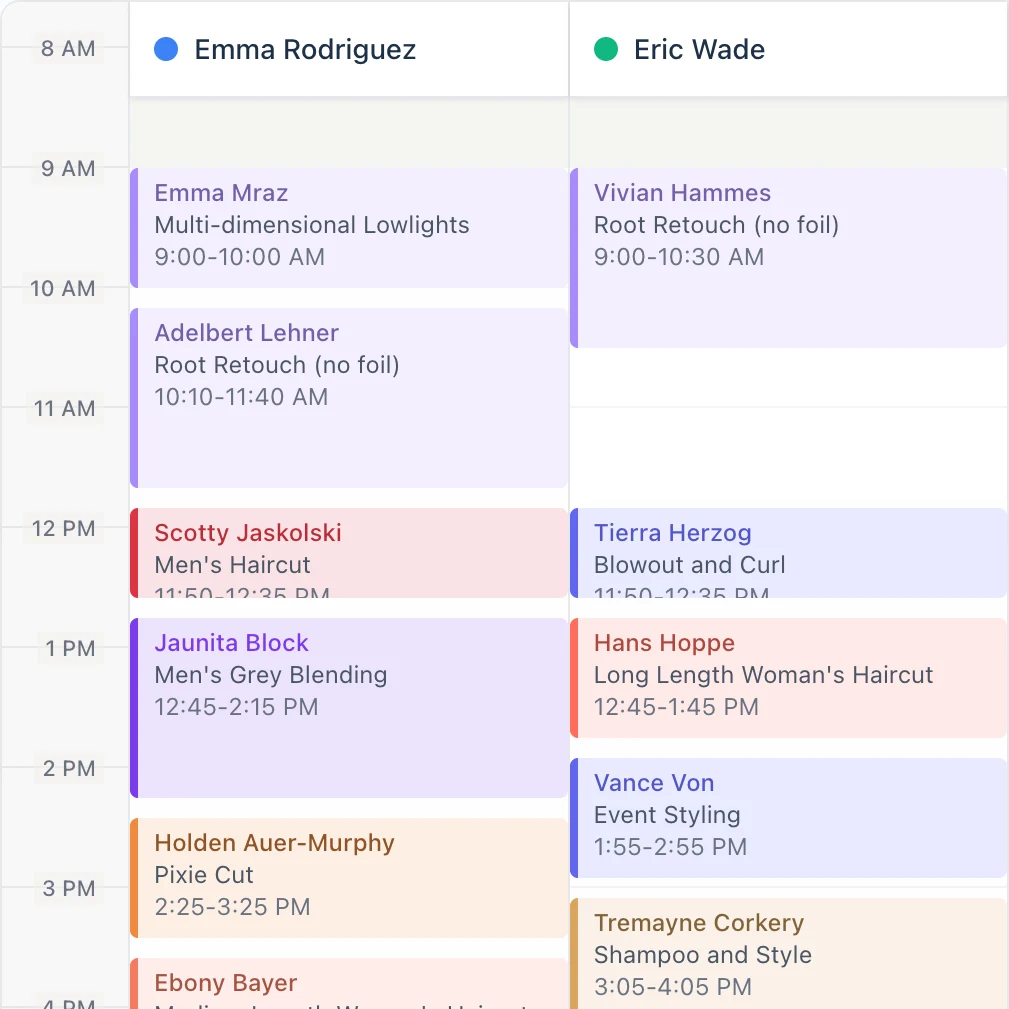
Time blocks, time off and closures
Block out the parts of the day nobody can book into, once or on a repeat. They come straight out of what clients are shown.
- One-off blocks, or ones that come back every week or every month
- Approve someone's time off and those hours close everywhere, with no second step
- Holiday closures across the whole business, or just the one location
- Days off are drawn on the calendar, not hidden from it
Changes
Add, remove or swap services on a booking
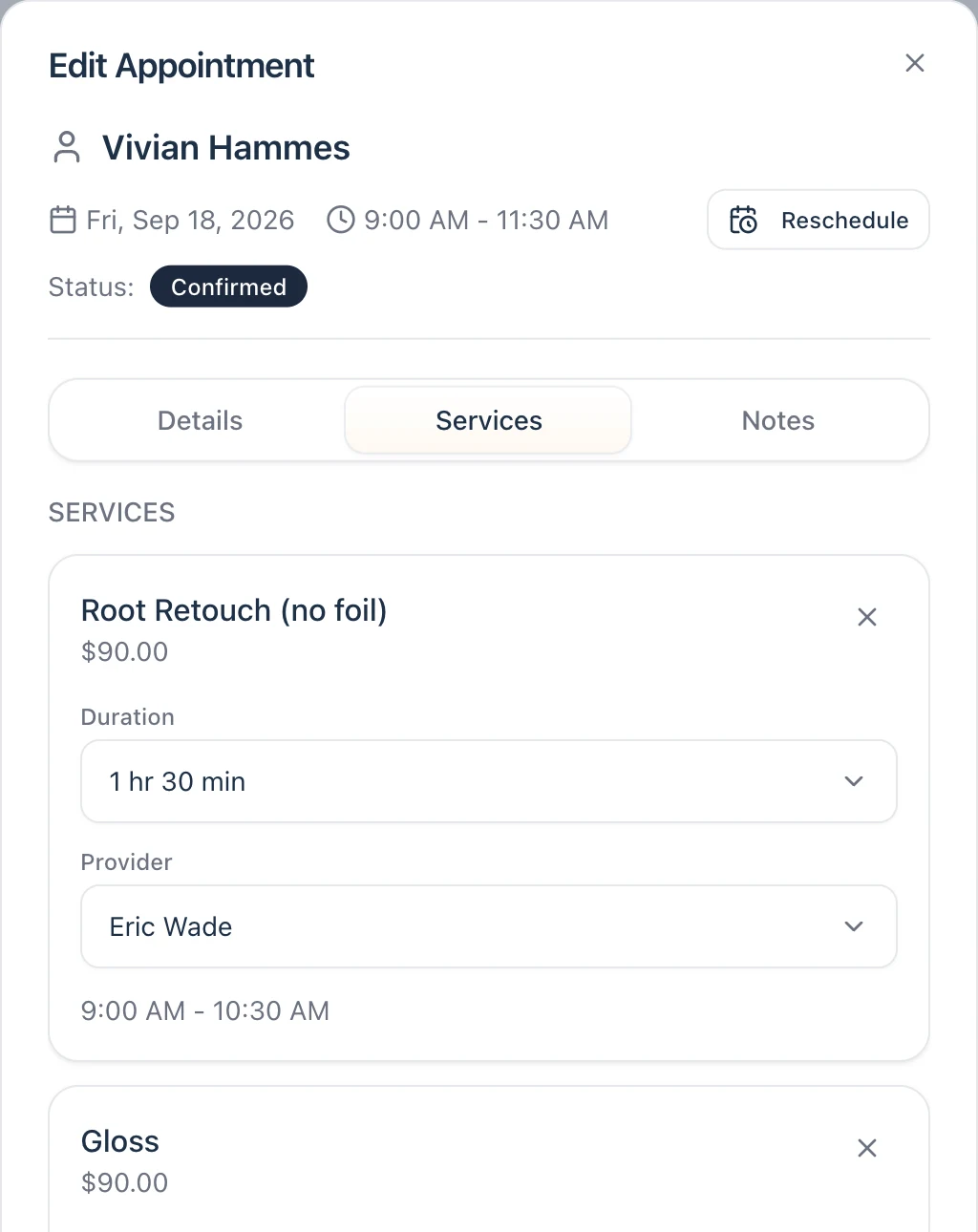
Add a service, drop one, trade one for another, hand it to someone else or stretch it twenty minutes. Lilo re-times the rest of the visit in one move and asks whether to tell the client.
- Add, remove or swap services without rebuilding the booking from scratch
- Each service keeps its own provider and duration, and the rest re-times around it
- Move it and decide right there whether to tell the client
- Book them in for next time without leaving the appointment
Recurring
Standing appointments, booked a year out
Set the pattern once and Lilo builds the series. Anything that lands on time off or another booking gets flagged before you commit, and you can move one visit without touching the rest.
- Weekly, every other week, monthly, or a pattern you define
- Ends after a set number of visits, on a date, or never
- Skip one, change one, or change this one and everything after it
- Pause a series over the holidays and start it back up
- Every visit in a series is marked on the calendar, so you can see what is standing
Every other Friday at 2:00 PM, eight visits out. Oct 23 skipped, the rest untouched.
No-shows
Automatic deposits for repeat no-shows
Lilo counts no-shows per client. Once someone crosses the line you set, they're asked for a deposit before they can book again. Everyone else books the way they always have.
- Pick the number of no-shows that triggers it, or let the deposit climb with each one
- Deposits sit at 25%, 50% or the full price of the service, your call
- Your cancellation window holds on the client's own cancel button
- Mark a no-show from the calendar and the count updates
- Applies to online and client portal bookings, not the ones your staff take
Close by
This page is the calendar and what keeps it correct. The rest is next door.